Tuesday, November 2, 2010

Preview: VIA VN1000 And Nano DC Platform: An IGP With Game?


It's been a long time since we've previewed a VIA chipset. And yet, here we are with an S3-based DX10 GPU that VIA claims is ready for gaming. How does the VN1000 compare to Intel's Atom and Nvidia's ION? Is it strong enough to ward off Core i3?
It seems like AMD and Intel have always been the only two players in the CPU game, battling each other for market supremacy through price wars and technological advancement that continue to make their parts ever-denser and more power hungry. That hasn't always been the case, though. And it's actually not even the case today.
Intel took a big step in the direction of efficiency by killing its Pentium 4, but many of its newest parts still push more than 100 W under load. It seems that every time a new competitor steps out with something interesting, Intel is right behind them with its foot on the accelerator. Further limiting this game is the fact that Intel owns the x86 instruction set, and isn’t ready to issue any new licenses.
Zoom
Yet there was one other company (besides AMD) with an x86 license, back from the days when IBM had the power to force Intel to sell them. VIA bought Cyrix and turned what had been a mediocre desktop CPU into a highly-successful low-energy part. A few generations worth of improvements later, and VIA is ready to re-enter the desktop market with a high-frequency dual-core version of its popular Nano processor.

With a pre-production CPU clocked at 1.80 GHz, the Nano DC (dual-core) platform that arrived in our lab is more a testament to the company's ingenuity than a representation of production-ready hardware. Yet, VIA is confident in the CPU's performance as it waits on its manufacturer to supply a die-shrunk version. Moreover, it wanted us to see what it’s doing with IGP graphics. Today’s article isn’t just proof-of-concept for a CPU, but an entire platform with a DX10.1 integrated GPU expected to lay waste to low-energy competitors.
Zoom
VIA flew out from Taiwan to hand-deliver this sample to our lab and reminded us that it was still around, alive and kicking. Will that tenacity carry over into entry-level computing success? The company has had almost an entire year to polish up this platform, which was announced in December of 2009. Let's see how it fares in today's much more competitive market.


VIA’s chipset might be ready for production, but its new CPU still needs some manufacturing tweaks. Rather than make us wait for the 40 nm part that'll be included when this platform ships, the company previewed us with a functional 65 nm version of the CPU to show off its finished VN1000 northbridge. Although power figures naturally won't map over, performance should be consistent with shipping hardware expected in 2011.
Zoom
The VT8591B motherboard is nothing less than a showcase of the various components that VIA offers, beginning with the DX10.1-capable Chrome 520 GPU integrated into its VN1000.

The VT8261 provides traditional southbridge functionality including four SATA 3Gb/s and 12 USB 2.0 ports. A nearby VT1211 multi I/O controller handles additional legacy needs.

A VT6308S adds IEEE-1394, while the VT6122 provides a second network port. A Vinyl VT1708S audio codec and VT6130 gigabit Ethernet PHY complete this demonstration of VIA’s product range.


VIA’s main claim here is that the Chrome 520 IGP is the most powerful integrated part in its market. That claim might be true, since Intel’s second-generation Atom isn’t supported by Nvidia’s ION integrated chipset.
Yet, because Intel’s newest Atom doesn’t require a separate northbridge (graphics and memory control have migrated into the processor itself), Nvidia’s “Next-Generation ION” add-in GPU brings the platform chip count to three--the same number as VIA.
Zoom
Well, a few memory chips are also required, but discrete memory for graphics usually boosts its performance while sipping very little additional energy.

ASRock’s new ION3D-ITX motherboard carries the new hardware, complete with the old DDR2 standard that Intel chose for its latest low-energy processor. In light of the power difference, reduced cost is the only reason we can think of for Intel not to choose low-voltage DDR3.

Intel’s previous-generation dual-core Atom used two separate single-core processor dies on one integrated package. Counting those two parts as one unit and adding it to Nvidia’s first-generation ION single-component chipset, this two-component platform is simpler than VIA’s solution.

ASRock’s A330ION motherboard represents the first-generation ION platform, using Intel’s “end-of-life” Atom 330 processor.
Zoom
Although most of our benchmarks here revolve around comparing the VIA platform to both Atom-based boards, we thought it'd be interest to add Intel's Core i3-530 to the mix as well, factoring in the on-package HD Graphics solution. Can VIA's northbridge-based controller compete? We dropped the entry-level Core i3 onto Intel's own DH57JG mini-ITX motherboard.

Zoom
We’re big fans of visual quality, so missing details in the image above were somewhat of a shock to us. Then again, Crysis only exists as a benchmark for most users, having been abandoned by many gamers in favor of more modern first-person shooters.

None of the integrated solutions are able to play Crysis, even at 800x600 (let alone the 1280x720 target we set for “casual” gaming on a home theater display). A lack of playability diminishes the ION 2’s win.


The ION 2 stays in the lead through our highest unplayable resolution.

Zoom
S.T.A.L.K.E.R.: Call of Pripyat also looks surprisingly bare when set to minimum graphics details. Will these low settings make it playable on low-energy graphics solutions?


These are all supposed to be DX10-class integrated GPUs, yet nothing short of disabling DX10 would have put any of these platforms into playable territory.
Zoom
S.T.A.L.K.E.R.: Call of Pripyat also looks surprisingly bare when set to minimum graphics details. Will these low settings make it playable on low-energy graphics solutions?


These are all supposed to be DX10-class integrated GPUs, yet nothing short of disabling DX10 would have put any of these platforms into playable territory.
Zoom
S.T.A.L.K.E.R.: Call of Pripyat also looks surprisingly bare when set to minimum graphics details. Will these low settings make it playable on low-energy graphics solutions?


These are all supposed to be DX10-class integrated GPUs, yet nothing short of disabling DX10 would have put any of these platforms into playable territory.

VIA considers its Nano DC to be suitable in traditional desktop computing roles--a task that is already being addressed by other low-power platforms. While the performance might not appeal to power users, we’ve already seen lesser hardware being used in some offices.

The 1.80 GHz Nano DC edges out Intel’s 1.80 GHz Atom in Photoshop, as presented in the ION 2 platform. While the Core i3 appears far more suitable for photo editing, our threaded filters are far more elaborate that those used by most office workers.

Nobody would intentionally run production software on a low-energy PC, yet the Nano DC does a far better job that its Atom-based rivals.

Virus scanning is probably the most strenuous task most PCs are forced to deal with, and the Nano isn’t very good at it. Then again, neither are its Atom-based rivals.

File compression is a normal office function, and it’s one that’s not well-accomplished by low-energy platforms. We imagine that many office workers will spend over a minute waiting for smaller folders to be compressed, and doing so several times a day could be a major productivity killer.

In spite of recent performance improvements, none of the low-energy platforms appears to be suitable to any task greater than light office work and perhaps media playback. Many users view media playback as the exclusive purpose of this platform type, so we cued up Chapter 2 of our “Resident Evil: Apocalypse” Blu-ray and “A Man Apart” DVD to make sure the performance was available.

H.264 hardware acceleration looked a little weak on all three low-energy platforms, and we found that disabling it had little impact on overall performance. The Nano DC significantly outpaces its rivals in DVD acceleration…if that still maters to anyone.

VIA mentioned gaming…and the ION 2 actually prevailed. To be fair, we wouldn't recommend gaming on any of these onboard graphics solutions, though. Intel's Core i3 integrated GPU appears a total embarrassment here, though it actually won in Call Of Duty: Modern Warfare 2 and tied in DiRT 2.  The two games that decimated Intel's percentages, S.T.A.L.K.E.R.: Call Of Pripyat and Crysis, weren't even playable on the so-called winning hardware.

Encoding is where the Nano DC shines, relative to other low-energy solutions. We have yet to see how much energy is required for the desktop CPU however.

If a 1.8 GHz Atom is just a hair too slow for your office needs, the Nano DC addresses that slight performance difference.

VIA says that that the production version of its Nano DC processor will require around half the power of this pre-release sample due to a die shrink from 65 nm to 40 nm. Yet the power reduction won’t apply to any other part of the system, making accurate power estimates of the released part impossible. We might get a rough idea of how the final part could look by considering the difference between idle and full-load consumption.

A full-load, full-system reading of 73 W doesn’t appear to be too bad, given the 65 nm manufacturing process of VIA's pre-production CPU. But the rough estimate we spoke of would put the retail processor somewhere around 55 W total system consumption. That’s still far better than the Core i3 desktop CPU, but marginally worse than the 1.80 GHz Atom used in the ION 2 platform.

Since efficiency is a comparison of work-done to energy-used, we calculated the average performance difference for use in our efficiency charts.

The ION 2’s 12.7% efficiency lead will most likely be completely negated by the die shrink of VIA’s retail Nano DC. But notice that the Core i3’s superior performance gives it an efficiency advantage over low-energy platforms. Reasons not to use a desktop processor include noise, heat, and mounting space.

We have to admit that we were a little curious about VIA’s re-asserted interest in entry-level gaming from an IGP. After all, it had been a while since we'd tested anything from S3. But our skepticism proved justified when we threw a few of the games in our benchmark suite at it. As the IGP stands right now, many modern games won't hit playable frame rates, even dialed down to the lowest possible quality/detail settings. Could the Chrome IGP be a viable solution in the most entry-level games? Perhaps. There remains driver work to be done before any sort of 3D is ready for prime time, though.
The greater problem (and this is something even Intel will face with its upcoming Sandy Bridge design) is that games evolve at a rate that IGP technology simply can’t match, so that even this latest attempt comes up short. Putting this in historical perspective, the Chrome 520 IGP is probably more powerful than a TNT2, so entry-level gaming could simply be a matter of using older games.
Of course, gaming is not what low-energy platforms are designed to do, and the Nano DC does low-energy tasks like media playback and light-duty office work very well. It even outpaces Intel's Atom clock-for-clock, even when the Atom is complemented by Nvidia's Next-Generation ION platform.
Thus, what we have in the Nano DC is a high-performance, low-power platform that, like all low-power platforms, can't really compete with mainstream desktop parts, as much as VIA would probably like it to. Nevertheless, it's much more likely that the even-more-miserly production version of this platform will make a strong showing in media-oriented PCs and netbooks in the coming months.
Perhaps the real question for VIA is: when, exactly, might this platform be ready for prime time? The company announced its VN1000 chipset nearly one year ago. It's still waiting for a process shrink. And then it needs to announce design wins. This would have been a killer little platform back when it was announced (before ION 2 and before Core i3). A year later, we're still impressed with that the solution can do. Now we just need to button it up, polish the software, and make this platform available.


Read more...

U.K. Demand Creates Shortages of Phone 7 Devices

Shortages of new Windows Phone 7 devices from HTC and Samsung are being reported in England. Carrier Orange is dealing with the Windows Phone 7 shortages with pre-orders. A lack of AMOLED touchscreens may be causing the shortages of Windows Phone 7 devices, which include the HTC 7 Mozart, HTC 7 Trophy, and the Samsung Omni 7.

Less than a week before HTC and Samsung roll out phones in the U.S. based on Microsoft Relevant Products/Services's new Windows Phone 7 operating system, reports Relevant Products/Services from England say demand is outstripping supplies. The HTC 7 Mozart, HTC 7 Trophy, and Samsung Omni 7 went on sale in Europe and Australia on Oct. 21, and carrier Orange UK has admitted it has been giving a 20-pound voucher to customers who didn't get handsets.
The shortage was first reported by Mobile Today, which quoted an Orange spokesperson as saying the company, which has 17 million broadband and mobile customers, is working to keep up with demand.
Shaky Footprint
"We have been working with our handset partners to roll out Windows Phone 7 devices across our retail footprint as swiftly as possible," the spokesperson said. "We can confirm that, as part of this process, we have been running a pre-order service whereby customers are given an incentive in those stores who have yet to receive stock, and we are working with our suppliers to meet customer Relevant Products/Services demand as a number-one priority." The spokesperson also noted that Phone 7 handsets are available online Relevant Products/Services and by phone orders.
Phone 7 devices will be available in the U.S. beginning Nov. 8 through AT&T and T-Mobile, which is a sister company to Orange.
The 10 Phone 7 devices unveiled by Microsoft CEO Steve Ballmer on Oct. 10 are from Dell, Samsung, HTC and LG, and are to be sold by 60 carriers in 30 countries.
A Microsoft spokesperson didn't respond to our request for comment in time for publication.
Touch and Go?
The San Francisco Chronicle reported the shortage is "most likely" the result of a lack of AMOLED touchscreens that affected both HTC and Samsung when they launched Nexus One and Droid Incredible phones earlier this year. J.D. Power and Associates analyst Kirk Parsons speculated that the problem "could be a general shortage of parts for the entire industry, particularly the display film that used on the newer high-resolution screens."
Charles King, principal analyst at Pund-IT Relevant Products/Services, said it's tough to predict how the shortage overseas might affect the U.S. launch.
"Generally speaking, I consider it a bigger issue for consumer-focused products, especially in the run-up to the prime holiday shopping season," said King. "For business-centric devices like Phone 7 phones, a delay of a week or three seems a minor blip -- most organizations are used to fulfillment delays of one sort or another, and it's unlikely that many executives go weeping to bed if they don't get their new smartphones in a timely manner."
Any delay, King noted, could even work to Microsoft's advantage. "Remember that many reviews of Windows 7 mobile, while generally good, also carried caveats that the company was too late to market to act as anything but a speed bump to Android and Apple phones," he said. "Demand for Phone 7 phones outstripping supply Relevant Products/Services may suggest that the market is cozying up to these products far more readily than reviewers or analysts assumed."
Read more...

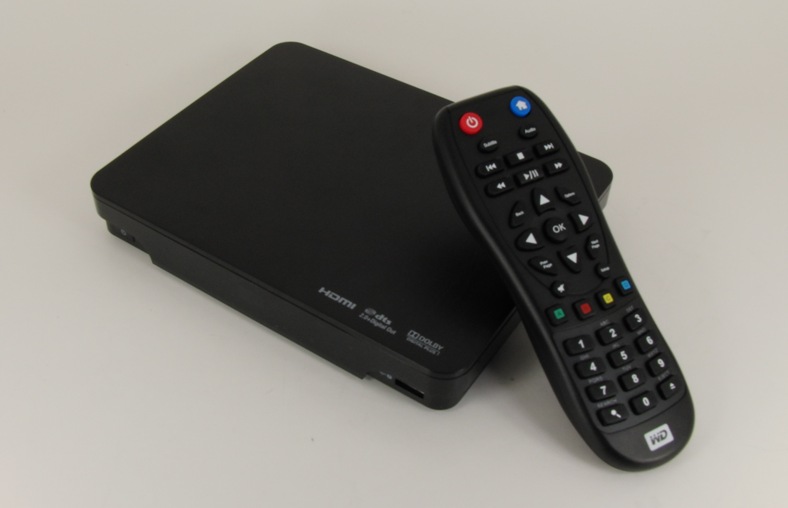
Western Digital WDTV Live Hub Review

Western Digital has become a noted player in the media streamer market over the last two years. Instead of resting on the laurels received for the WDTV, they have continued to introduce new products periodically. Their flagship product lineup started with the WDTV. Introduced in November 2008, it used Sigma Designs 8635. The second generation (2G) product (WDTV Live) added a 100 Mbps wired ethernet port. It used the next generation Sigma chipset, SMP 8655. By then, Netflix became an indispensable requirement for media streamers in the US market. This led WD to introduce the WDTV Live Plus, a 2.5G product which used the Macrovision enabled SMP 8654. The Netflix feature was incidentally enabled with a firmware update by Seagate in their FreeAgent Theater lineup. This caused consternation amongst many WDTV Live users. Despite this, WD continues to enjoy a good standing in this market.
Today, Western Digital is introducing their 3G flagship product, the WDTV Live Hub. Priced at US $199.99, the product builds upon the features of their existing flagship product, the WDTV Live Plus. The new features in the WDTV Live Hub include
  1. 1 TB 2.5" internal hard drive
  2. HDMI 1.4
  3. Wired Gigabit Ethernet (GbE) interface
  4. Media Server capabilities
  5. Improved user interface and UI framework
  6. Support for Blockbuster On Demand (rental and purchase)
  7. Remote control over a HTTP interface
  8. Support for scraping / cover art (media library information) download without the need for a PC
Ever since Western Digital started introducing products in the media streamer space, we were puzzled as to why no specific features were designed in to enable easier usage of WD hard disks (similar to what Seagate does in its lineup). With this product, WD manages to fix up that issue by integrating a non-user serviceable hard disk inside. The other features (such as support for HDMI 1.4 and GbE) are evolutionary in nature, and as per market expectations. With these new features in mind, let us proceed with the rest of the review.
Read more...

Monday, November 1, 2010

Adobe CS5: 64-bit, CUDA-Accelerated, And Threaded Performance

Any knowledgeable PC user understands that there are many ways to skin a cat, including when that cat happens to be Adobe’s Creative Suite. Tools like Photoshop, Premiere Pro, and After Effects continue to be favorites for millions of professionals and prosumers. When time is money, the performance levels realized in Creative Suite can mean the difference between making or losing money on jobs. Even if you’re just a home video enthusiast who’s taken to Premiere and After Effects, would you rather spend minutes or hours on a task?

Potentially, this is no overstatement. With Adobe starting to built GPU acceleration into various facets of Creative Suite and better leveraging CPU multi-threading, a system running CS5 today could realize performance an order of magnitude or more better than, say, a five-year-old system running Creative Suite 2 (CS2). We’re not going to state the ridiculously obvious and benchmark just how much faster a new CS5 rig would be compared to CS2. Instead, we want to approach Adobe’s new CS5 from a hardware perspective and examine if and when it makes sense to upgrade from CS4.
After all, the move from the last-generation suite to CS5 is one of the most significant in Adobe's history. Beyond the feature expansion in each app, the company finally embraced 64-bit support, dramatically improving performance in workloads able to take advantage of extra memory. Additionally, there's a good bit of GPU acceleration in play--something we've not seen enough of from other media- and productivity-oriented titles.

So, here’s our scenario. Assume you have CS4 and are considering CS5 as a way to become more productive through getting the same tasks done more quickly. We’re going to examine three possible vectors that could be responsible for this performance increase:
  1. Upgrading from CS4 to CS5. This gives you the benefits of shifting from 32- to 64-bit code and addressing extra memory above the 4 GB threshold.
  2. Increasing CPU threads. This could be through the addition of cores as well as from leveraging Intel’s Hyper-Threading (HT) feature.
  3. Employing CUDA. At this early stage of the industry’s adoption of general purpose GPU acceleration, Adobe has started to weave in support for Nvidia’s CUDA platform. We hope that OpenCL and/or DirectCompute support follows soon, but for now we have to examine CUDA as a case study in what exists today and a harbinger of what will come.
Could it be that stepping up from CS4 to CS5 alone could yield enough benefit to make a hardware upgrade unnecessary? Or will an upgrade to CS5 plus bringing CUDA into play make a $500 processor overhaul mandatory? Let’s try to find out.

While we examine three different applications within Adobe’s Creative Suite (After Effects, Photoshop, and Premiere Pro), most of Adobe’s attention falls on Premiere Pro CS5 and its Mercury Playback Engine, the 64-bit, multi-threaded code base that can utilize Nvidia GPU (CUDA) hardware acceleration. Mercury acceleration is not global throughout the program, but it will accelerate a bunch of effects and operations. For example, the new Ultra keyer, proc amp, Gaussian blur, edge feathering, flips, sharpening, and color correction—in fact, most of the popular effects—are now Mercury-ready. So are three transitions: cross dissolve, dip to black, and dip to white.

Adobe boasts that very large projects can see up to a 10x performance gain from Mercury. Nvidia promises “performance gains of up to 70 times” for visual processing tasks. While we’re more inclined to lean toward Adobe’s number, given some of the GPGPU results we’ve seen in the past, such claims don’t sound infeasible.
Nvidia claims that because CUDA and the Mercury Playback Engine are doing so much of the visual computing work, “the CPU is free to continue to manage other system and application tasks, and to efficiently manage background processes.” On this point, we’ll remain skeptical until proven wrong by our data. We expect that CUDA will accelerate performance when it can, but we don’t expect miracles of CPU utilization reduction...yet.
Zoom
Turning the Mercury Playback Engine on and off is a fairly simple matter. Simply navigate into Project -> Project Settings -> General. In the Video Rendering and Playback section, use the Renderer pull-down to select the desired Mercury setting.

Our first step in this article was to pick up where Chris Angelini left off in his July look at the Intel Xeon 5600-series. Chris started with 12 threads on a Gulftown chip and worked his way up to 24 threads on a pair of Xeon X5680s. Counter-intuitively, he found that workload completion performance decreased as processing capability increased.
“After Effects CS4 only has access to 4 GB of system memory—a third of what these Xeon boxes bring to bear,” he wrote at the time. “As you add execution resources to AE’s pool, less and less memory is available to each processor, be it logical or physical. The result is a lot more swapping to solid state storage, which is fast, but nowhere near as quick as three channels of DDR3.”
Rather than scale up the CPU chain into workstation configs, we scaled down from the consumer-class flagship, Intel’s Core i7-980X with all features enabled, to only two threads—two 980X cores with no Hyper-Threading. This lowest-end arrangement should more closely resemble some of AMD’s Athlon II processors.
In his story, Chris noted keeping the multiprocessing option in After Effects enabled, as this gave the fastest results in AE CS5. With multiprocessing, AE crunches on different frames with multiple cores. Without multiprocessing, every available core works on a single frame until it’s finished. We decided to run the tests both with and without multiprocessing to better see how much impact adding cores/threads would yield.


As you’ll see more clearly in a moment, After Effects CS4 clearly dislikes Hyper-Threading. In all of our tests with HT and multiprocessing disabled, AE’s overall CPU utilization hovered in the teens and 20s, but the even-numbered threads—the logical cores created through HT— were barely touched. With only two active cores (four threads), there was a bit more activity on the even threads, but still nothing like the utilization seen with multiprocessing enabled in the application.


How does this processor utilization translate into real performance? The data is clear: After Effects CS4 performs much better with Hyper-Threading disabled, sometimes by a factor of 2-to-1. In everyday usage, it would be silly not to run the app with HT off and multiprocessing enabled provided you weren’t multitasking. The exception to this rule would be if you’re multitasking, because running with multiprocessing and HT enabled will save about 20% to 30% in CPU utilization, leaving enough room to run something else concurrently.
Interestingly, Chris noted that “in CS4, we got our best results having all cores working on each frame,” meaning that having multiprocessing disabled yielded faster performance. That was not the case here. In all instances, using multiprocessing yielded much faster results, and the more threads we used, the wider that performance gap became.
So keeping multiprocessing enabled is a foregone conclusion. That decided, what can we observe about thread scaling? Without HTT, we see only a moderate improvement as threads increase. (In fact, there is effectively no difference between four cores and six.) From two physical cores to six, we gain only 29 percent. The punch line here is that two physical cores actually outperforms 12 logical threads by 7.5 percent. Hyper-Threading is just that bad under AE CS4.

Recall from the last page that the fastest time we had for our custom workload under After Effects CS4 was 2:55 with six cores active, multiprocessing enabled, and no Hyper-Threading. Achieving this effectively redlined the CPU. In After Effects CS5, this is nearly our slowest score (the difference between 2:55 and 3:00 being negligible), and it was achieved with only two cores, no multiprocessing, and no Hyper-Threading. Interestingly, the same settings under CS5 yielded a CPU utilization range of 66 to 80 percent.


We see that CS5 does not share CS4's revulsion for Hyper-Threading. Apparently, HT delivers more benefit when fewer physical cores are present, but at least there’s no significant negative impact from having it enabled. Neither do we see CS5 delivering that weird CS4 phenomenon of hammering performance when both HT and multiprocessing are enabled.
We have a hard time imagining many dual-core Intel owners rushing out to buy CS5, so if we set those results aside momentarily, we’re left with the fact that there’s no real benefit from Hyper-Threading here. Yes, there can be a slight gain from HT, but not enough to warrant a processor upgrade. This is clearly a case where increasing physical cores is what matters.
Weirdness starts to reappear when we examine CPU utilization. Time and again when working with the CS5 collection, we witnessed fewer cores working harder. It was like watching a track star say, “You know, I’ve got 12 threads, and I’m so far ahead, I think I’ll just take it easy.” At first, we thought the explanation must harken back to Chris’s earlier CS4 assessment in which more cores are being forced to work with smaller shares of the total RAM pool, even though we jumped from an effective 4 GB to 12 GB. However, we got another answer from Nvidia technical marketing manager Sean Kilbride:
“A lot of it is timing related. Video encoding in particular has a lot of serial operations. You need the result of one frame before you can move to the next. This is generally because encoders create a keyframe which has all the frame information. Frames that follow only record the portion of the frame that has changed since the last keyframe. If too much has changed, you have to create a new keyframe.
So the processors can never work too far ahead, since they rely on the keyframes to be created first. In theory, encoding to an uncompressed format could go very quickly on the CPU with multiple threads as long as each frame was a keyframe. In reality, you'd end up crippled by disk I/O because of the resulting massive file size.”
That all said, we’re glad to see multiprocessing making effective use of the CPU in order to bring work times down.
Overall, we’d say that the best bang for the buck in AE CS5 is a quad-core with HT and multiprocessing enabled. This delivers most of the chip’s potential performance while still leaving loads of available processor bandwidth for other tasks.
We have not examined CUDA acceleration in these After Effects tests because Adobe has yet to code for it. The application does support OpenGL acceleration, which we used across the board, but that’s different than the GPGPU boosting we wanted to examine here.
Photoshop was one of the first applications to hop on the multi-threaded bandwagon during the shift from single- to dual-core CPUs. One of our biggest questions was whether Photoshop has scaled well on the desktop as core counts have gone up. Additionally, we wanted to see what impact enabling or disabling OpenGL acceleration in the GPU would have on our custom workload. Admittedly, this falls outside of our testing objectives, but it still keeps with the spirit of improving Adobe Creative Suite performance in hardware, and should provide an interesting comparison for those who still wonder if GPGPU acceleration is really “that much” better.
In testing Photoshop, we used a single-image photo collage measuring 20K x 20K (1.12 GB) and interpolated it to 50K x 50K (6.98 GB), figuring this would soak up most available RAM without spilling out into a swap file. We then took the interpolated file and rotated it 45 degrees. Being representative of both test sets, we kept and show below the CPU utilization observed during the rotations.


This is more about proving a concept than mimicking a real life workflow need. Photoshop may be relatively good at interpolation, but the dimensions we used were really aimed at creating run times meaningful enough to be measured. You’d be more likely to use smaller levels of interpolation across batch jobs—increasing dozens of image sizes by 20% with a single command, for example.
In a situation somewhat similar to our HT and multiprocessing setup with After Effects CS4, we see several situations in which enabling OpenGL hardware acceleration slows down processing when Hyper-Threading is disabled.
Our four-core, non-HT test shows a strange performance spike with OpenGL enabled, but otherwise we see two- and four-core scores all within two seconds of each other. Only with 12 threads when HT is enabled do we see a respectable gain.


On rotation, Hyper-Threading reappears as an occasional enemy. Eight threads with OpenGL enabled wins this test on a bang-for-buck basis.


Again, we see frustratingly low CPU utilization during Photoshop rotation. Only with two active cores does the CPU get a fair workout.

We wanted to leverage as much of the work done by Chris Angelini in his “Can Your PC Use 24 Processors?” story as possible, so in addition to his custom After Effects load, we also replicated his Premiere Pro work set. Part of this job involved created a custom setting scenario in which the 23.976 FPS default Blu-ray speed (24 FPS in CS5) was doubled to 59.94 FPS. As Chris did, we recorded both the render time as well as the export time with Premiere’s Adobe Media Encoder (AME) in order to assess two key parts of the video workflow process. The single point where our test data replicates Chris’s render and AME times within 20 seconds (980X with 12 threads and HT enabled) confirms that we’re on the same track and working with solid results.


In a workstation setup, Chris didn’t see much positive scaling when moving from the i7 into the Xeon line. Working solely with the i7 and modifying core counts, we see a much more obvious and rewarding progression. Once more, you don’t get as much kick in the move from four cores to six as from two to four, but the benefits of each core increase are clear. Moreover, we see the 10% to 20% benefit from enabling Hyper-Threading that we’ve been expecting all along. Without a doubt, the six-core Intel approach is the way to fly with Premiere Pro CS4.

Unlike our other two Creative Suite apps, Premiere Pro makes much more effective use of all available processor cores, including virtual ones. We don’t see any real breathing room with utilization appear until we hit 12 threads.

With Premiere Pro CS5, which is really the centerpiece of this story, we have to delve a little deeper. Here we finally have the ability to assess Adobe’s Mercury Playback Engine and see it handling 64-bit code, many threads, and CUDA acceleration all at once.
First, let’s compare render times between the two application versions. You’ll recall that with Hyper-Threading, CS4 scored times of 10:17, 5:21, and 3:33 with four, eight, and twelve threads, respectively. In a strange fit of coincidence, these are almost the exact times we saw under CS5 with HT disabled.


Re-enabling HT under CS5 again gives us that 10% to 20% boost. Thus, we can infer that the move from the earlier to the present Premiere Pro will only net you about a 15% improvement, give or take depending on your core count.
Now, when we turn on the Mercury Playback Engine, it’s like hitting a rocket’s launch button. Adobe’s 10x claim turns out to be spot on. With only two physical threads, Mercury and our GeForce GTX 480 are able to blast through our test in 1:36—less than half the time of our best score with 12 threads under CS4.  With all threads and Mercury in play, CS5 sizzles to completion in just 29 seconds.
We didn’t record CPU utilization for this set because the usage patterns would have been meaningless. Most of the time, utilization hovered in the 98% to 100% range, but every so often there would be a downward spike into the teens or single digits. Noting the range would not have given an accurate representation of average resource use.

CUDA is not a cure-all. As our tests showed, there are clearly some tests that showcase CUDA’s benefits more than others. Depending on how apps and plug-ins are coded, CUDA can help with processing effects, compositing video clips, scaling, blending, and similar functions. In some areas, though, don’t expect CUDA to offer much help. For example, say you have a 1280 x 720 clip in WMV format that you want to transcode into 1820 x 720 MPEG-4 via Premiere Pro. The GPU will be of little if any benefit in this case. All of that heavy lifting is done in the CPU.
On the other hand, if you want to take three 1920 x 1080 clips, color correct them, perform luma adjustment, add drop shadows, composite into a single stream, then downsample into a 1280 x 720 MPEG-2 file for DVD export, the benefit from GPU-based acceleration can be enormous. If you’re stepping up from 30 to 60 frames per second through frame doubling, then CUDA won’t help, but if you get that doubling through tweening (Premiere’s method for automatically adding or modifying one or more frames between two existing frames), then CUDA can slice the generation time substantially. If you want one more example of this, check out these stand-alone results we got for Premiere Pro CS5 exporting done on Nvidia’s own “Paladin” workload, which uses many more GPU-based effects:

We mentioned Nvidia’s Sean Kilbride before, and we want to give him one last shout out, because his help at all hours, day and night, over the span of weeks, set a new bar in vendor patience. His assistance is what made this article possible. Interestingly, though, one of the questions we asked him was, “If the direct export and render queue functions in Premiere Pro CS5 do the same job, but direct export is faster, why do we still have the queue in CS5?” He replied, “Because you can’t continue working when doing a direct export.” With all of our test data in hand, we’d argue that you also can’t continue working during a render, at least not without 12 threads at your back and a not-too-demanding set of secondary apps in front.
Our original question was how best to accelerate Adobe’s Creative Suite. In After Effects, the move from CS4 to CS5 was a clear win, while scaling from four cores to six offered surprisingly little benefit. Photoshop CS5 is likewise mushy on its core scaling benefits, but if you can land a plug-in that supports CUDA, baby, hold on—the improvement is massive. Most of all, Premiere Pro performs exactly as we’d expect. The video editor scales well as threads increase, improves with Hyper-Threading, makes good use of the jump to CS5, and runs CUDA like nobody’s business in the Mercury Playback Engine. If Premiere Pro is your life, it’ll make good use of every improvement you can throw at it.


Read more...

ASUS X72D/K72DR: Three Cores, No Waiting

The ASUS X72D is an interesting beast and a testament to just how far prices have fallen on Blu-ray capable hardware. It also gives us the opportunity to play with a triple-core mobile AMD chip, something we haven't yet enjoyed on the review bench. While a mobile Phenom II and Mobility Radeon HD 5470 may not be the most exciting pieces of kit in the world, they can be used to buttress an attractive and affordable build able to handle most computing tasks without breaking the bank.
Today we'll be figuring out just how well three AMD cores can compete with two hyper-threaded Intel cores at the entry level, and whether or not the X72D delivers the solid multimedia experience it was intended for. Note that our review model is labeled X72D, but it's the same design as the readily available K72DR--only with Blu-ray and a 7200RPM drive compared to the stock model available at Newegg. We'll refer to the notebook as the X72D throughout this review, but the two names are synonymous--the X72D is just the upgraded model. Here are the specs of our review sample.
ASUS X72D Specifications
Processor AMD Phenom II N830
(3x2.1GHz, 45nm, 1.5MB L2, 35W)
Chipset AMD RS880 northbridge and SB850 southbridge
Memory 2x2GB DDR3-1333 (Max 2x4GB)
Graphics ATI Mobility Radeon HD 5470 1GB DDR3
(80 Stream Processors, 750 MHz core clock, 1600 MHz effective memory clock, 64-bit memory bus)
Display 17.3" CCFL Glossy 16:9 900p (1600x900)
Chi Mei N173O6-L02
Hard Drive(s) 500GB 7200 RPM Seagate Momentus 7200.4 Hard Disk
Optical Drive Blu-ray Reader/DVD+/-RW Combo Drive
Networking Atheros AR8131 Gigabit Ethernet
Atheros AR9285 Wireless 802.11n (150Mb capable)
Audio Realtek ALC269 HD Audio
Stereo speakers, headphone and microphone jacks
Battery 6-Cell, 10.8V, 4400mAh, 48Wh battery
Front Side Speakers
5-in-1 Flash reader
Left Side Exhaust vent
2x USB 2.0
Optical drive
Right Side Headphone and microphone jacks
2x USB 2.0
HDMI
VGA
Ethernet jack
AC adaptor
Kensington lock
Back Side Nothing
Operating System Windows 7 Home Premium 64-bit
Dimensions 16.7" x 11.2" x 1.5" (WxDxH)
Weight 6.9 lbs
Extras 0.3MP Webcam
Keyboard with 10-key
Flash reader (MMC, SD/Mini SD, MS/Duo/Pro/Pro Duo, xD)
Altec Lansing speakers
Blu-ray reader
Warranty 2-year standard warranty
Pricing Available online as K72Dr
Even if it isn't that exciting, the most interesting part in the X72D is the AMD Phenom II N830 at its heart. AMD processors have been somewhat rarefied around here since manufacturers are typically more interested in throwing flashier, more exciting Intel-based units our way, so it's nice to get our hands on one of AMD's faster tri-core mobile chips. The Phenom II N830 runs its three cores at 2.1 GHz and is basically a mobile, power-binned version of the L3 cache-less desktop Athlon II X3. While these cores aren't as fast clock-for-clock as competing Intel chips, they're fast enough, and a healthy jump over AMD's old K8-based mobile chips.
There's still a major stumbling block for AMD in terms of power consumption, though: an AMD-based notebook has to power both a northbridge and a southbridge, while most of this functionality is either handled by integrated hardware in Intel's mobile processors or by the single power friendly HM55/PM55 chip. It's not a case of just having more chips, but when you look at the manufacturing processes in use and the historical data, AMD hasn't done well on getting power use in check. Having to run three of their chips compared to two of Intel's chips is going to be a big hurdle.
The odd choice is the ATI Mobility Radeon HD 5470 dedicated GPU. Given the 17" chassis we would've liked to see at least a Mobility Radeon HD 5650, but what makes the anemic 5470 even more puzzling is how aggressive of an implementation it is. While the chip itself is still the same dismal DX11 rehash of the old 4300/4500 series, plugging along with just 80 stream processors and a paltry 64-bit memory bus, ASUS has opted to clock it at a staggering 750MHz. As has become customary with low-end chips, the 5470 has also been outfitted with 1GB of DDR3—about 512MB more than it could ever use—clocked at a healthy 1.6 GHz effective. This is pretty much as good as the 5470 is going to get, but that isn't saying much. For comparison we have the Dell Studio 14 in our charts, which uses a 5470 at a lower 675MHz core clock.
The remainder of the X72D is fairly healthy. 4GB of DDR3 is clocked at 1333MHz instead of the usual 1066MHz, and ASUS saw fit to equip the unit with a 500GB, 7200 RPM Seagate hard disk. 5400 RPM drives are starting to phase out of the ASUS lineup, and that's a good thing. There's also a combination Blu-ray reader, DVD writer, suggesting the X72D's intended market, but that Blu-ray drive is only going to be pushing a 1600x900 screen—no 1080p for us. What's puzzling is the lack of eSATA, USB 3.0, FireWire, or ExpressCard. Any one of these would be excellent for external storage, but apparently we're stuck with USB 2.0 still. This is even more bizarre when you recall the concerted push ASUS was making to add USB 3.0 to all of their hardware.
Read more...

ViewSonic Will Offer Tablet with Android and Windows 7

A dual-boot 10.1-inch tablet with Android 1.6 and Windows 7 will be offered by ViewSonic along with a seven-inch model. ViewSonic's ViewPad tablets will sell for $629 for the 10.1-inch and $479 for the seven-inch. Google has advised against Android for tablets, and Apple CEO Steve Jobs has jabbed at Samsung's Android-powered Galaxy Tab.

The tablet-computer war is heating up as Black Friday nears, with Samsung rolling out its Android-based Galaxy Tab on several wireless carriers next week and ViewSonic unveiling two new devices Monday -- including one that runs both Google Relevant Products/Services's Android and Microsoft Relevant Products/Services's Windows 7 Home Premium operating systems.
After its debut in Europe last month, T-Mobile will be the first in the U.S. to get the Tab, which is essentially a larger version of the Samsung Galaxy 5 phones available in variations on all four top wireless carriers. T-Mobile's price, beginning Nov. 10, will be $399 with a two year contract. Sprint Nextel will charge the same price, also with a two-year contract, beginning Nov. 14, while Verizon Wireless as of Nov. 11 will sell the Tab for $599 without a contract, although a data plan is available. Consumers can also put the Tab on their tab at Best Buy stores.
Apple CEO Steve Jobs, in an Oct. 18 earnings call, took a calculated jab at the Tab and others like it, saying, "The seven-inch tablets are tweeners: too big to compete with a smartphone, and too small to compete with an iPad." He also noted that Google was advising tablet makers that the current 2.2 version of Android is not well suited for tablets, and that was the reason given by Motorola co-CEO Sanjay Jha for his company's slow entry into the tablet market.
Dual Boot
But Walnut, Calif.-based ViewSonic, best known for computer displays, evidently has no such reservations about Android as it unveiled seven-inch and 10.1-inch ViewPad tablets. But the larger model seems to be hedging bets by allowing users an option to boot up in Windows 7.
The smaller ViewPad, equipped for Wi-Fi, Bluetooth and 3.5G data, will be available later this year for $479 and packs front and back cameras, although the front-facing camera is only 0.3 megapixels, compared to three megapixels on the back. It has a 800x480 WVGA LCD display and, ViewSonic says, it's the only seven-inch Android-powered tablet to feature Google's Mobile Services applications, which include Gmail, maps, picture-based searches, voice searches, and more.
The larger ViewPad has a 1024x600 LED backlit capacitive multi-touch screen, but only runs Android 1.6 rather than its sister's 2.2. It also has only one 1.3-megapixel camera. It will sell for $629 in the first quarter of next year. Distributors were not announced.

Leveraging our 20-year display heritage, these new ViewPad solutions Relevant Products/Services provide users with anytime anywhere connectivity," said Jeff Volpe, vice president and general manager for ViewSonic Americas. "With access to the universe of Android apps, our new ViewPads are perfectly suited for enjoying digital entertainment and social media. Office productivity Relevant Products/Services is also a snap with robust web-browsing functionality."
No iPad Threat Yet
"There is no shortage of media-tablet announcements this year, " said Jeff Orr, the principal mobile-devices analyst for ABI Research. "But there has been a lack of commercially available competitors to Apple's iPad introduced in April and the lesser-known vendors offering media-tablet products since mid-2009."
Orr said that because the form factor is still new, it remains to be seen whether businesses will take to them.
"The rumors of people ditching laptops and smartphones in favor a single converged device are exactly that -- rumors," Orr said. "Until more IT Relevant Products/Services-friendly devices are available, enterprises are merely toying with the possibilities of media tablets. If anything, this examination is increasing consideration for tablet PCs to be reconsidered for industrial applications and kiosks."
"Dual-boot capabilities ... are not new," he added. "There are laptops and netbooks with this capability today, but typically suggest a very sophisticated user that wants to get the best from different OS platforms. Some models are available pre-installed with two operating systems, while users also have the ability to format their hard drives in this way."
Read more...